01 / REVIEW
Stay with the code.
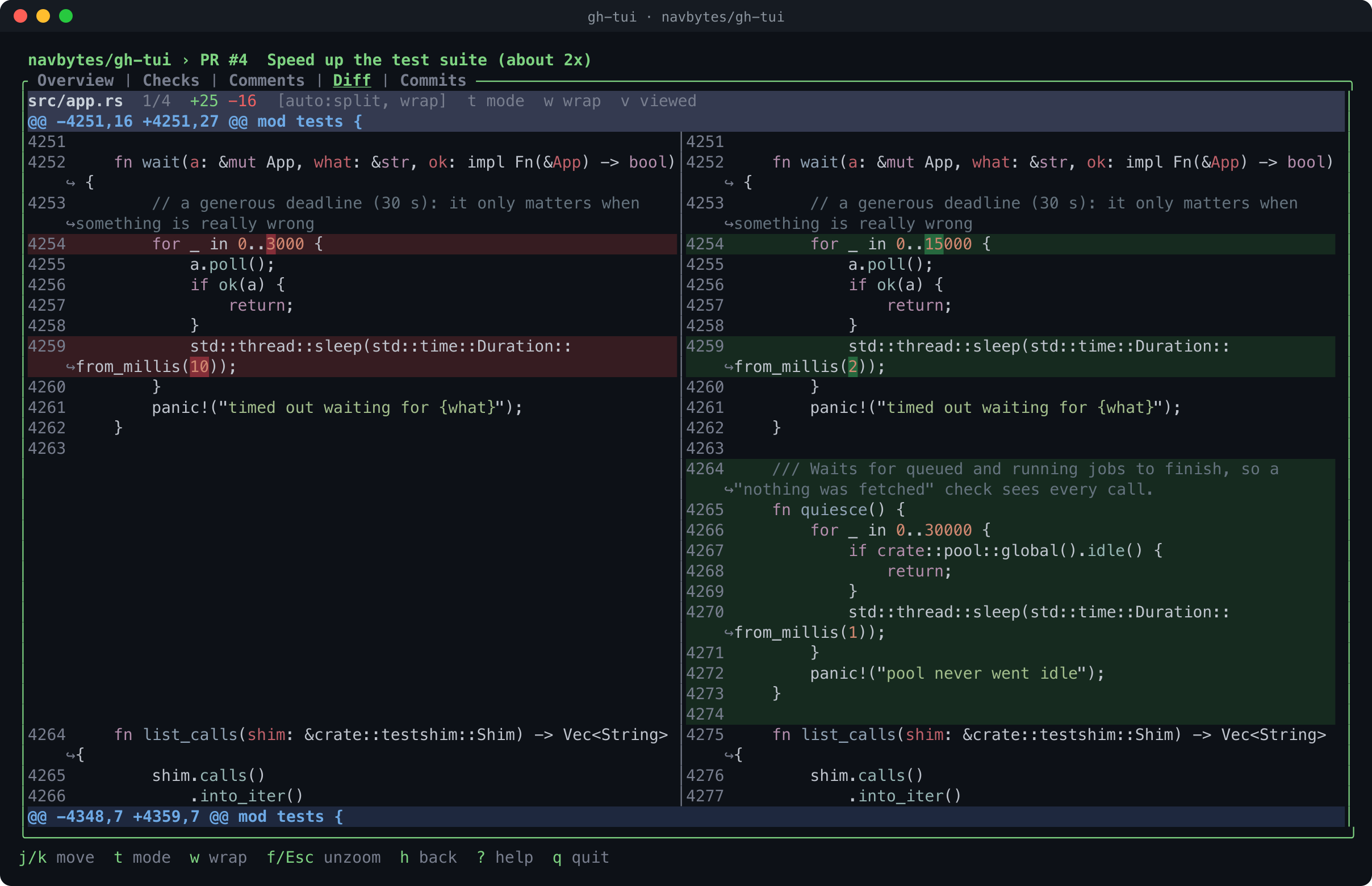
Move through PR files, commits, checks, and comments. Switch between split and unified diffs, follow review threads, and mark files viewed.
OPEN SOURCE · POWERED BY THE GH CLI
A keyboard-driven workspace for pull requests, diffs, checks, issues, Actions, and repos. Get the whole picture, take the next action, and stay in flow.
gh extension install navbytes/gh-tui
Already using gh? Your existing login is all you need. macOS & Linux · MIT licensed

THE PRODUCT / NO CONTEXT SWITCH REQUIRED
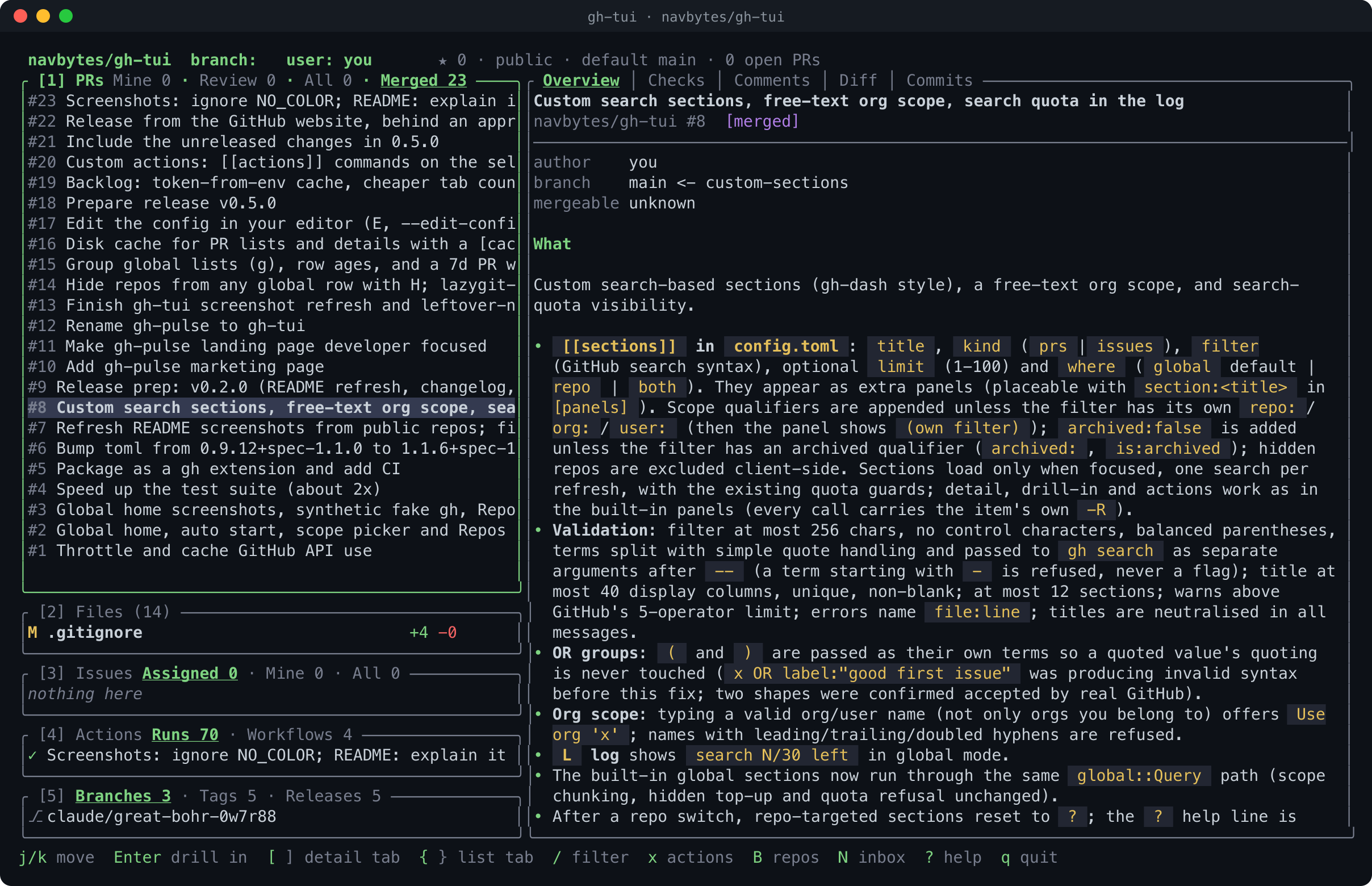
gh-tui brings the GitHub surfaces you visit all day into one focused terminal UI. Go from a list to the line, check, or thread that needs you.
Move through PR files, commits, checks, and comments. Switch between split and unified diffs, follow review threads, and mark files viewed.
Launch outside a repo to see review requests, your PRs, issues, and favorites. Browse or narrow the scope without changing directories.
Global-home screenshots in the gallery use synthetic demo data.
See workflow runs, drill into failed checks, triage issues, browse releases, and read notifications across repos.
THE FLOW / FROM OPEN TO DONE
Navigation stays fast because every step has a direct path. Mouse support is there when you want it.
Explore every keybindingStart in a repo, or launch anywhere for your cross-repo home.
Open a PR, move through its details, and zoom into code when it matters.
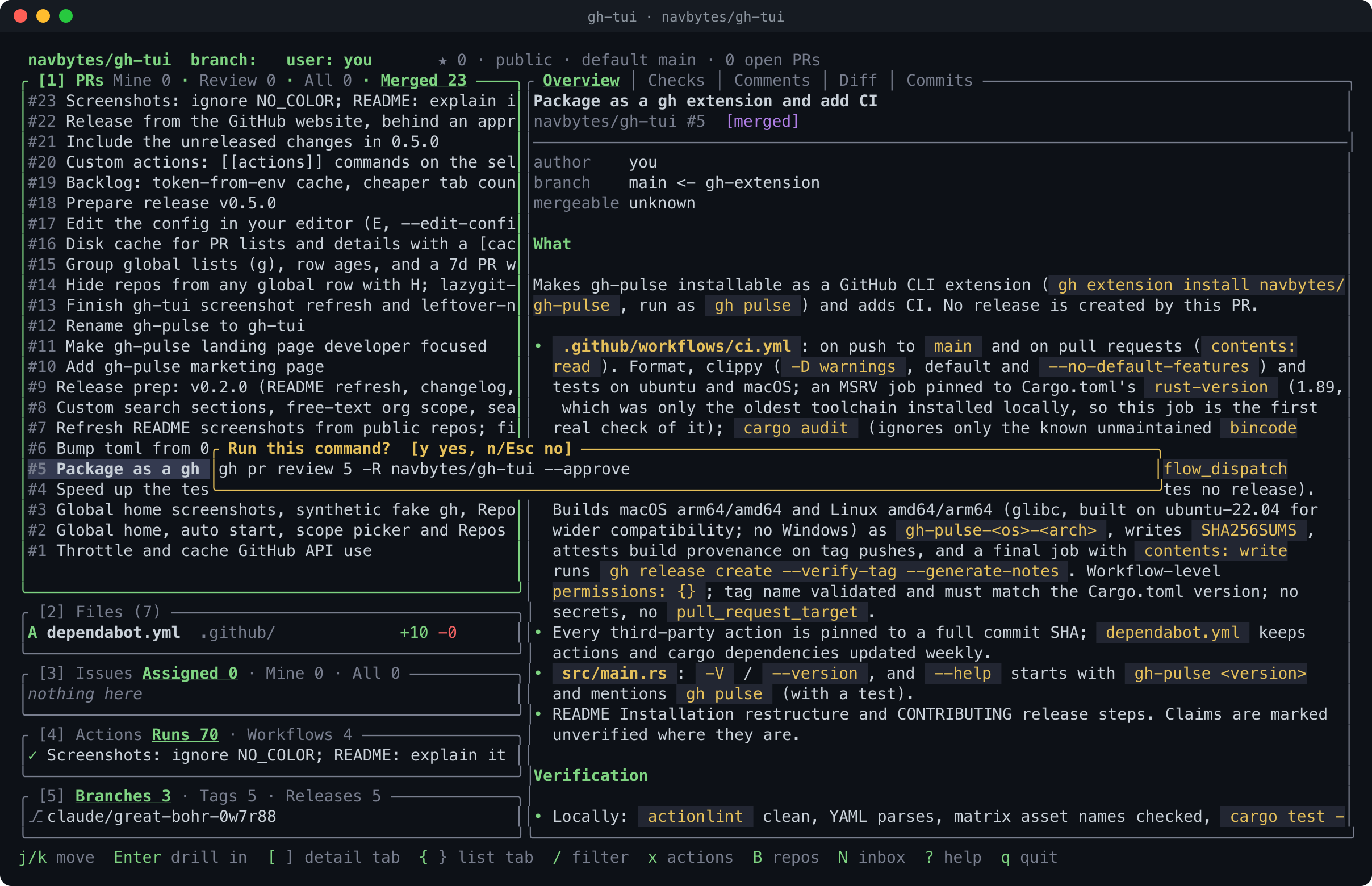
Open the action menu. Review the exact gh command, then confirm with y.
DESIGNED FOR TRUST
gh-tui shells out to the GitHub CLI for authentication and actions. The confirmation popup previews the command before a write, and L opens the command log.
Run this command? [y yes, n/Esc no]
gh pr review 5 -R owner/repo --approveIllustrative command; the linked screen shows a real confirmation.
Authentication stays with gh; there is no separate token setup for gh-tui.
The command log records gh and git commands the app ran.
Release assets include checksums and build provenance attestations.
START HERE / QUICK SETUP
gh-tui is a GitHub CLI extension. Authenticate with gh, install once, then launch from any directory.
gh auth logingh extension install navbytes/gh-tuigh tui